How to split an image into grid tiles without losing edge pixels
Calculate tile dimensions, handle uneven division, verify row-major filenames, and reconstruct a 1201 × 801 image from nine PNG pieces.
Choose the source region and orientation first
Open Image Splitter and select one picture. Crop the region you want to divide, or rotate and flip it before splitting. The splitter renders that edited appearance at 1× scale, then divides it into PNG tiles. Existing picture borders and rounded corners therefore become part of the rendered source.
Choose a preset such as 2 across, 2 down, 2 × 2, or 3 × 3. You can enter a custom grid with up to ten rows and ten columns. Every piece needs at least one pixel in each direction, so a very small source may support fewer divisions.
Allocate remainder pixels to the first columns and rows
Divide the source width by the column count and take the whole-number part as the base tile width. Give one additional pixel to each of the first columns until the remainder is allocated. Apply the same method to height and row count. This keeps every original pixel inside exactly one piece.
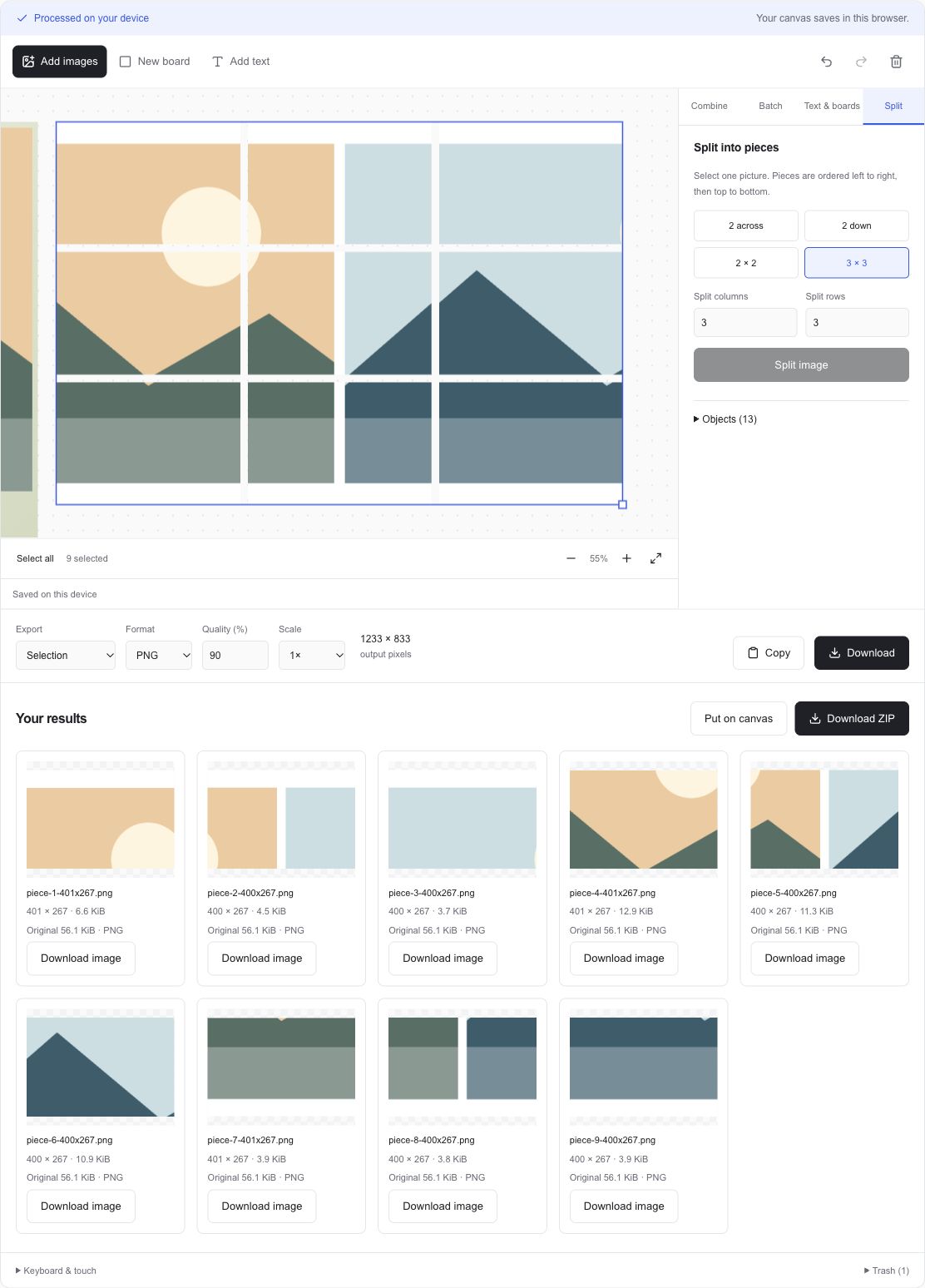
For a 1201 × 801 source split into three columns and three rows, the base width is 400 with one pixel left over. The column widths are therefore 401, 400, and 400. Height divides evenly into three rows of 267. The first column's tiles are one pixel wider than the other six tiles.
Column widths = 401 + 400 + 400 = 1201
Row heights = 267 + 267 + 267 = 801
Tile pixels = (401 + 400 + 400) × 267 × 3
            = 962,001
Source pixels = 1201 × 801 = 962,001
Match the download sequence to the grid
The result order moves left to right within each row, then starts the next row. A 3 × 3 result has files 1, 2, and 3 across the top, 4, 5, and 6 in the middle, and 7, 8, and 9 at the bottom. Filenames also include the actual width and height for each tile.
Download the ZIP and inspect those names before placing files into a design or another service. A destination can apply its own sorting, cropping, and display rules. Set the intended positions explicitly when reconstructing a picture, especially when its column widths differ by one pixel.
| Row | Left | Middle | Right |
|---|---|---|---|
| Top | 1 | 2 | 3 |
| Middle | 4 | 5 | 6 |
| Bottom | 7 | 8 | 9 |
Prepare divisible dimensions when tiles must match exactly
For nine equal 400 × 267 tiles, resize or crop the source to 1200 × 801 before splitting. A crop removes pixels outside the selected rectangle. A resize resamples the picture. Choose the change that suits the source composition, then verify the displayed pixel dimensions before dividing it.
To check reconstruction, place the downloaded tiles at their original grid coordinates with zero gap. Use their actual widths and heights when determining the next column or row position. PNG preserves the rendered tile pixels through lossless encoding, and the sum of tile areas should equal the rendered source area.
Keep the editable source available
Splitting puts the tiles on the shared canvas and moves the replaced source object to the local trash. Undo restores the previous canvas during the current page session. Restore all can recover eligible deleted objects for 30 days in the same browser profile.
The original file on your device remains available where you stored it. Download tiles before leaving if you need the current result list, which belongs to the current page session. Check the local saving status if you plan to return to the tile objects later.